Accessible Design System

Increased WCAG 2.2 AA compliance of 12 most used components by 25%

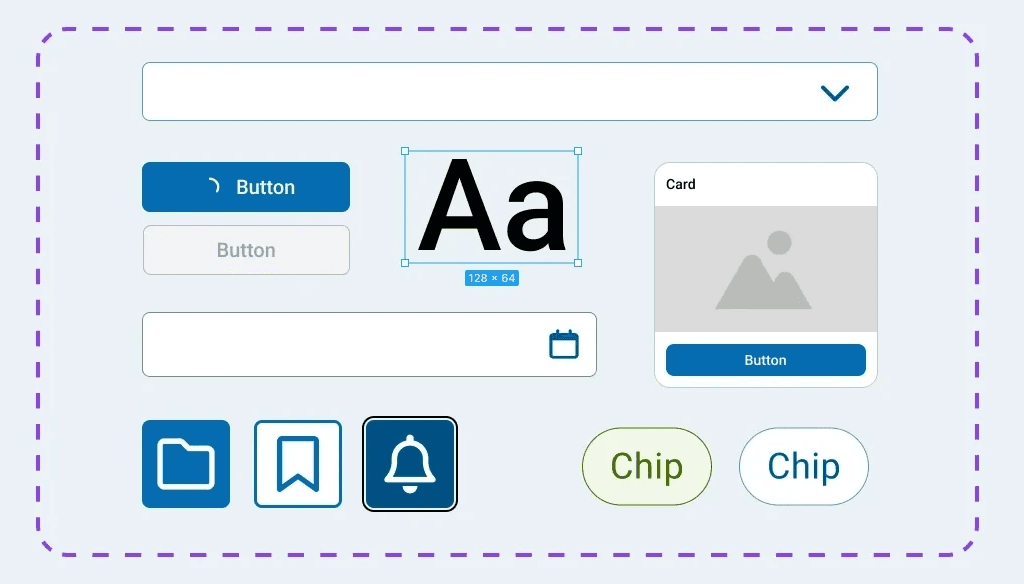
UI design panel displaying buttons, text, images, and chips
  • TEAM

    UX Design—
    Accessibility

  • ROLE

    Accessibility Analyst

  • COLLABORATORS

    1 UX Team Lead

    2 Front-end Developers

    1 Business Analyst

  • DURATION

    8 Weeks

Accessible Design System

Increased WCAG 2.2 AA compliance of 12 most used components by 25%

UI design panel displaying buttons, text, images, and chips
  • TEAM

    UX Design—
    Accessibility

  • ROLE

    Accessibility Analyst

  • COLLABORATORS

    UX Designers
    Front-end Developers
    Accessibility SME
    Accessibility PO

  • DURATION

    8 Weeks

Project overview

Design systems are one of the most powerful ways to make accessible digital experiences at scale. The goal of this project was to build accessibility directly into components by evaluating its compliance against WCAG 2.2 AA standards

Design systems are one of the most powerful ways to make accessible digital experiences at scale. The goal of this project was to build accessibility directly into components by evaluating its compliance against WCAG 2.2 AA standards

My role and contribution

As the Accessibility Analyst, I partnered with the Design System team to lead the assessment:

As the Accessibility Analyst, I partnered with the Design System team to lead the assessment:

  • led 12 accessibility audits

  • conducted 6 usability tests

  • drove 4 requirements gathering sessions

  • led 12 accessibility audits

  • conducted 6 usability tests

  • drove 4 requirements gathering sessions

Outcomes

I resolved all accessibility issues of the 12 most used components, increasing WCAG AA compliance of the design system by 25%

I resolved all accessibility issues of the 12 most used components, increasing WCAG AA compliance of the design system by 25%

POUR principles

My assessment followed 4 principles of accessibility:

My assessment followed 4 principles of accessibility:

Percieveable

Users must be able to perceive the information

Operable

Users must be able to operate the interface

Users must be able to operate the interface

Understandable

Users must be able to understand how the interface works

Users must be able to understand how the interface works

Robust

Users must be able to access content via assistive tech

Users must be able to access content via assistive tech

Component audit

Each audit consisted of 4 types of tests based on the POUR principles

Each audit consisted of 4 types of tests based on the POUR principles

Test types:

  • General (visual)

  • Keyboard

  • Screenreader

  • Zoom magnification

  • General (visual)

  • Keyboard

  • Screenreader

  • Zoom magnification

Result options:

Passed

Passed with exception

Conditional

Failed
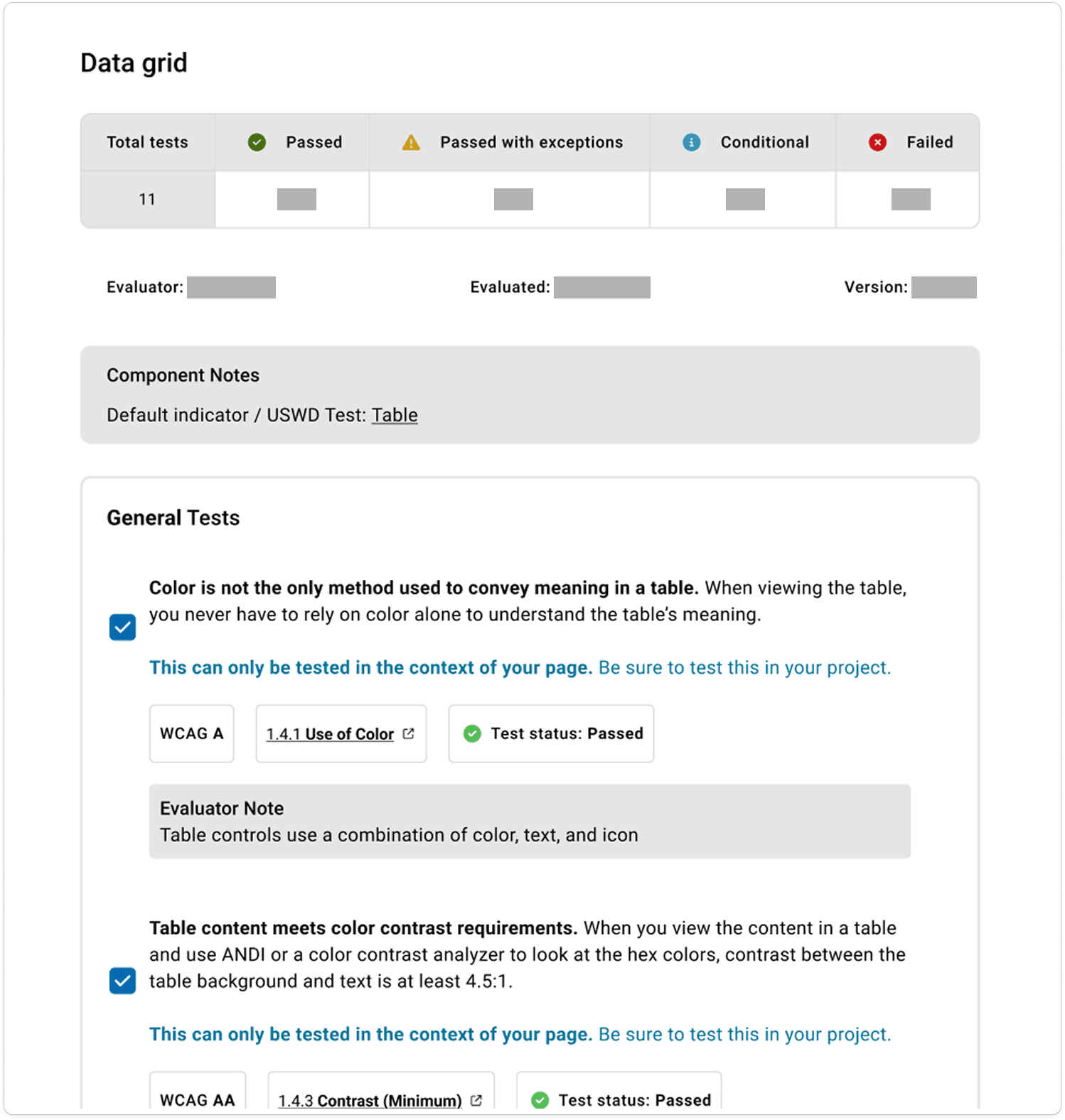
Audit of a data grid displaying 2 general tests

Usability testing

As the sole evaluator and a non-native screen reader user, I decided to lead 6 usability tests of components with real screen reader users to reduce bias

As the sole evaluator and a non-native screen reader user, I decided to lead 6 usability tests of components with real screen reader users to reduce bias

I translated usability test results into actionable recommendations for 2 developers

I translated usability test results into actionable recommendations for 2 developers

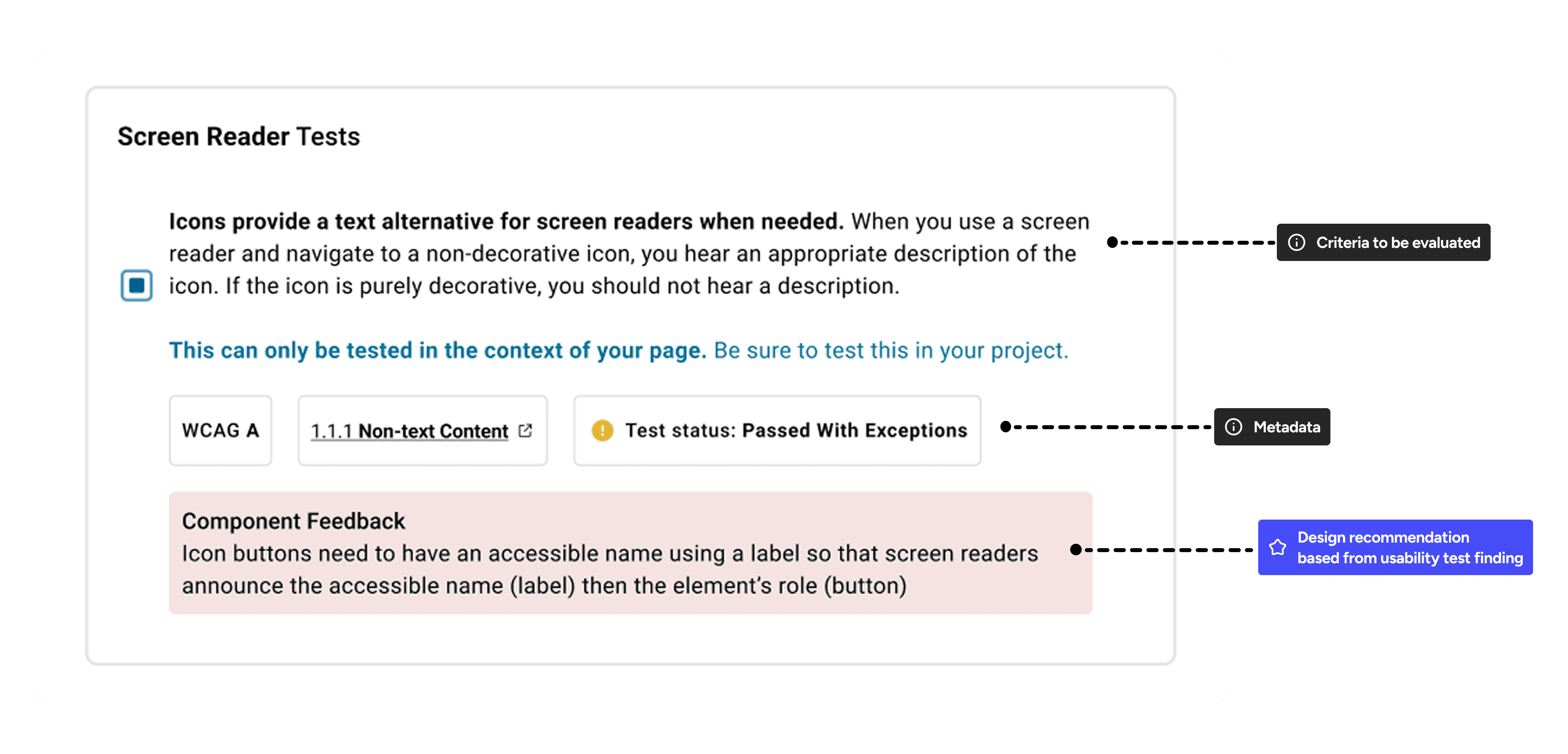
Screen reader test consisting of criteria to be evaluated, metadata, and design recommendation

Designing custom test cases

Challenge

Over 50% of components required evaluation that could not be covered in standard test cases in Storybook

Over 50% of components required evaluation that could not be covered in standard test cases in Storybook

Approach

I designed custom components, collaborating with developers to implement them in a Storybook playground for testing

I designed custom components, collaborating with developers to implement them in a Storybook playground for testing

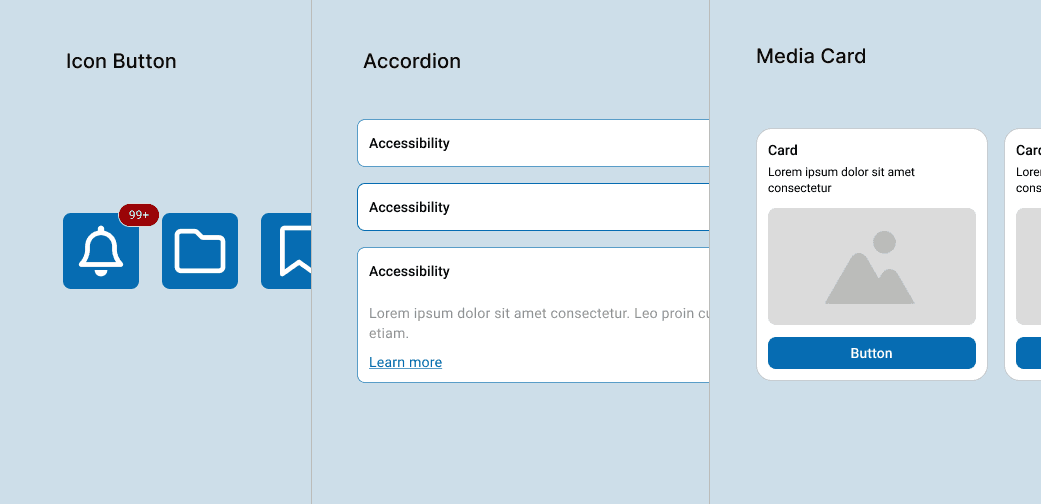
3 custom components including icon buttons, accordian, and a media card

Example of custom test cases

Accessibility requirements
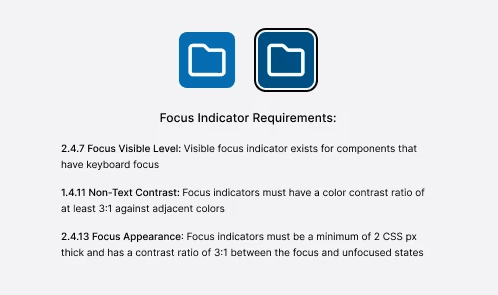
Based on areas of improvement discovered in the evaluation, I set accessibility requirements to the design system team for remediation

Based on areas of improvement discovered in the evaluation, I set accessibility requirements to the design system team for remediation

3 requirements for the focus indicator

Learnings

Following this project, I learned 2 valuable lessons

Think beyond isolation

Assessing components challenged me to anticipate multiple user behaviors and contexts to create inclusive solutions

Prevent issues before they arise

Integrating accessibility from the start taught me how proactive design decisions can mitigate critical downstream issues

Back to top